Assess
Review the current 3CX version, backup, licence, phones, SIP trunks, users, and must-keep workflows.

3CX alternative for Australian businesses
We help Australian businesses, resellers, and service providers move from 3CX with a clearer plan and fewer surprises. Our local team reviews your setup, handsets, SIP trunks, licensing, call flows, and cutover requirements before recommending the best migration path.
Review the current 3CX version, backup, licence, phones, SIP trunks, users, and must-keep workflows.
Choose the right hosted, self-hosted, on-premise, or provider-managed Yeastar path.
Use the supported backup import path, then validate call flows, security, phones, and cutover timing.
Keep improving the system after go-live with local guidance, provider tooling, and escalation support.
Choose your path
Customers and providers usually ask different questions. Choose the closest fit so we can focus the assessment around your situation.
A customer currently using 3CX
Get a practical migration assessment for your phone system, users, handsets, SIP trunks, call flows, and cutover timing.
A provider supporting 3CX clients
Assess Yeastar as a migration path for one customer or a wider client base, with central management, white-label options, and provider support workflows.
Not sure / other
Tell us what you are trying to solve and we will help you choose the right next step.
Why teams compare
Yeastar is a strong option for businesses and service providers that want predictable licensing, clearer management, migration tooling, and a full UC platform without starting from zero.
A plain-English comparison for decision makers and technical buyers.
| Area | Yeastar | 3CX |
|---|---|---|
| Migration | Import supported 3CX V18 and V20 backups and map common settings into Yeastar P-Series for review. | Moving away usually requires more manual planning, validation, and rebuild work. |
| Deployment choice | Hosted cloud, self-hosted software, on-premise appliance, or provider-managed deployment paths. | Hosted by 3CX, self-hosted, and multi-tenant options, with conditions that need careful review. |
| Remote phones | Encrypted tunnel options through Yeastar-managed SBC or onsite SBC, plus zero-touch remote provisioning support. | Remote-phone planning can be more SBC-dependent, especially around V20 and reprovisioning needs. |
| Central management | YCM adds dashboarding, resource monitoring, trunk sharing, alarms, templates, tasks, file repository, and shared admin accounts. | Basic remote management exists, but many provider-grade controls are not native equivalents. |
| Call centre operations | Independent Queue Panel and Wallboard, dynamic and static agents, pause reasons, callback, surveys, and outbound campaigns. | Strong core queue tools, but several operational controls and outbound call centre features are limited or unavailable. |
| Brand control | White-label PBX, UC clients, and Central Management Platform for resellers and service providers. | Limited native private-label flexibility. |
| Security and continuity | Country allow/blocklist, outbound call frequency restriction, 2FA, hot standby, real-time replication, and disaster recovery options. | Core security controls exist, but HA and some security measures are less flexible or edition/version dependent. |
| AI and extensibility | Real-time call transcription and WebSocket audio streams for external live transcription and speech analytics workflows. | AI receptionist, voicemail transcription, summaries, and sentiment, with less public audio-stream extensibility. |
Yeastar: Import supported 3CX V18 and V20 backups and map common settings into Yeastar P-Series for review.
3CX: Moving away usually requires more manual planning, validation, and rebuild work.
Yeastar: Hosted cloud, self-hosted software, on-premise appliance, or provider-managed deployment paths.
3CX: Hosted by 3CX, self-hosted, and multi-tenant options, with conditions that need careful review.
Yeastar: Encrypted tunnel options through Yeastar-managed SBC or onsite SBC, plus zero-touch remote provisioning support.
3CX: Remote-phone planning can be more SBC-dependent, especially around V20 and reprovisioning needs.
Yeastar: YCM adds dashboarding, resource monitoring, trunk sharing, alarms, templates, tasks, file repository, and shared admin accounts.
3CX: Basic remote management exists, but many provider-grade controls are not native equivalents.
Yeastar: Independent Queue Panel and Wallboard, dynamic and static agents, pause reasons, callback, surveys, and outbound campaigns.
3CX: Strong core queue tools, but several operational controls and outbound call centre features are limited or unavailable.
Yeastar: White-label PBX, UC clients, and Central Management Platform for resellers and service providers.
3CX: Limited native private-label flexibility.
Yeastar: Country allow/blocklist, outbound call frequency restriction, 2FA, hot standby, real-time replication, and disaster recovery options.
3CX: Core security controls exist, but HA and some security measures are less flexible or edition/version dependent.
Yeastar: Real-time call transcription and WebSocket audio streams for external live transcription and speech analytics workflows.
3CX: AI receptionist, voicemail transcription, summaries, and sentiment, with less public audio-stream extensibility.
Provider and reseller advantage
For providers and resellers, the strongest difference is not just PBX features. It is operational control: one place to deploy, monitor, provision, brand, and support customer PBXs before and after migration.
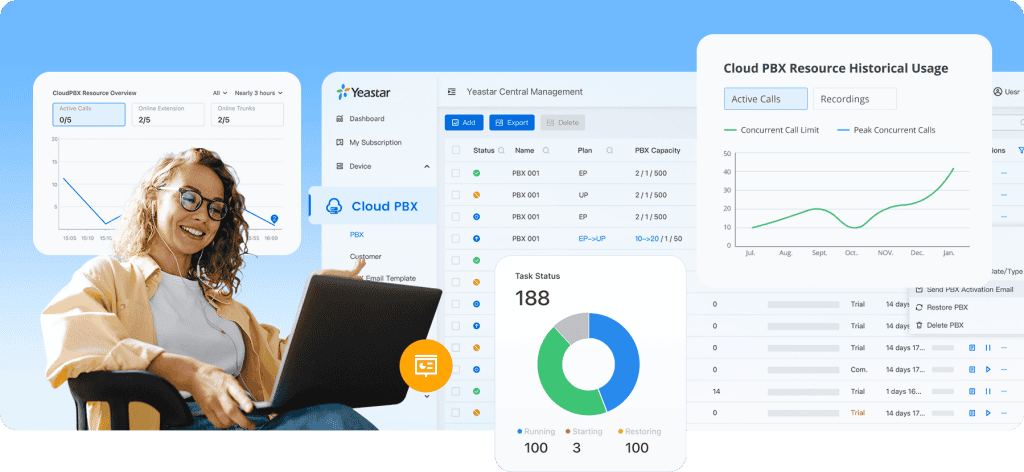
Deploy PBXs, monitor resources, automate backup and upgrade tasks, assign DIDs in bulk, and support customers from one platform.
Private-label the PBX, UC clients, central management portal, custom domain, login page, and PBX email settings.
Serve customers of different sizes without sacrificing integrations, extension numbering, phonebooks, queues, paging, or hot desking.
Why choose us
Yeastar is the platform. The distributor you choose affects how quickly you can quote, migrate, provision, support, and scale it. We are built for resellers, IT providers, PABX maintainers, telco dealers, and service providers that want a practical path from 3CX to Yeastar.
Your customer stays your customer. We help you build a Yeastar migration and support model around your brand, your pricing, and your service approach.
Get support qualifying 3CX opportunities, comparing licensing, checking backups, reviewing handsets and trunks, and shaping a realistic migration proposal.
Work with people who understand tenant setup, remote phones, SIP trunks, numbering, emergency routes, queues, business hours, and rollback planning.
Back your team with local Yeastar knowledge for faults, adds, moves, changes, upgrades, feature adoption, and escalation planning.
Turn PBX, UC, call centre, SIP trunk, number, support, and migration services into a stronger monthly relationship with your customers.
For providers that need it, we can work behind the scenes so your customer experience stays consistent and your brand remains front and centre.
Migration path
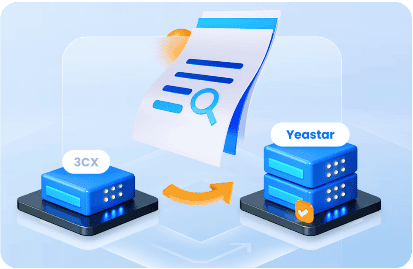
Yeastar’s migration tool is designed to reduce manual rebuild work by importing a supported 3CX backup and mapping common PBX configuration into Yeastar P-Series.
That still leaves the important work: checking call routing, SIP trunks, phones, emergency calling, business hours, recordings, integrations, and rollback timing before go-live.
Create a backup from the current 3CX system. We check version, licence, extensions, trunks, phones, recordings, and known dependencies first.
Upload the supported backup into Yeastar P-Series. Extensions, trunks, contacts, prompts, network settings, and phone provisioning data can be mapped.
Review call flows, phones, queues, security rules, emergency routes, user access, and business hours, then cut over with a tested rollback plan.
Feature wins
These capabilities are often the difference between a basic PBX replacement and a better communications platform.
Selectable DOD, AutoCLIP, Busy Camp-on, Call Flip, Call Switch, Call Merge, and remote-phone provisioning choices give admins more day-to-day control.
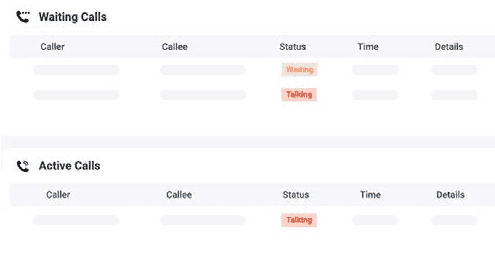
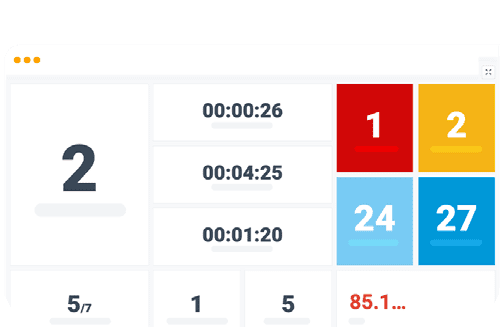
Queue Panel, Wallboard, static and dynamic agents, pause reasons, satisfaction surveys, callback, reporting, and outbound campaigns support more mature service teams.
Live Chat, WhatsApp, SMS, Facebook, chat logs, and chat reports give customer-facing teams a broader communication workspace.
Microsoft 365, Outlook, Teams calling paths, CRM and helpdesk integrations, templates, APIs, and SDK options support cleaner business workflows.
Real-time call transcription and WebSocket audio stream transmission create practical paths for live transcription and speech analytics.
Phonebooks, AD and Azure AD integration, custom roles, open APIs, country allow/blocklist, outbound call restrictions, and 2FA improve control.

Exact results depend on your 3CX version and configuration, but Yeastar’s migration path is designed to bring across the PBX settings teams care about most.
Extensions, names, emails, mobile numbers, voicemail settings, PINs, contacts, phone MAC data, and registration details.
IVRs, queues, ring groups, time conditions, business hours, inbound routes, outbound routes, emergency numbers, and call routing rules.
SIP trunks, prompts, allowed country codes, blacklists, network settings, security rules, and other common PBX configuration data.
A migration is also a chance to strengthen the controls around your phone system, from access security to failover and recovery planning.
Country allow/blocklist, outbound call frequency restriction, protocol-level blocking, password policies, and 2FA help reduce common PBX exposure.
Real-time data and configuration replication, heartbeat checks, and primary-server self-checks support a more resilient operating model.
Cross-region replica PBX options can keep call services available if the primary environment is affected by a wider outage.
Local guidance
We help you decide whether Yeastar is the right 3CX alternative, then plan the migration around your phones, trunks, users, support model, and business hours.

We review your current 3CX backup readiness, feature use, handsets, SIP trunks, recordings, integrations, and cutover timing.
Choose advice-only support, assisted migration, or a fully managed deployment with local technical guidance.
Plan around Australian carriers, local numbers, emergency calling expectations, business hours, and practical support needs.
For supported 3CX V18 and V20 systems, Yeastar can import a 3CX backup and map many common settings automatically. A careful review is still needed before go-live, especially for call routing, SIP trunks, phones, and emergency calling.
Yes, almost always. Compatibility depends on your handset models, firmware, and provisioning method. We check those items during the migration assessment.
Yeastar supports simultaneous-call licensing and optional per-extension licensing, which can be easier to model for some businesses, resellers, and service providers. The right comparison depends on your user count, call concurrency, features, and renewal timing.
Yes. Yeastar supports providers that need central management, white-label options, multi-deployment visibility, provisioning, monitoring, backups, and customer control.
We focus on the commercial and operational work around Yeastar, not just the licence. That includes migration scoping, pre-sales support, provisioning guidance, local carrier context, reseller enablement, and post-sale technical support. Resellers also get a level of support we believe is unmatched in Australia, including an option for white-label support for your customers. We also develop Yeastar integrations available through us, including industry-specific CRM integrations.
Prepare your current 3CX version, extension count, simultaneous call usage, SIP trunk details, phone models, call flow requirements, recordings policy, business hours, and any must-keep integrations.
No. Yeastar supports businesses, resellers, IT providers, and service providers. Its Central Management, white-label, multi-instance, call centre, and high-availability options make it relevant beyond basic PBX replacement.
Get started
Tell us whether you are a customer, provider, or not sure yet, then share your users, handsets, SIP trunks, licence renewal, and requirements. Providers can also ask about reseller support, white-label-friendly delivery, and distributor onboarding.